




Food + training.
Finally one app.
Snap your meals, follow a gym plan and track your runs, all in one place.
Three apps. Three logins.
Zero honest picture.
A calorie counter doesn't know you trained legs. Your gym log doesn't know you under-ate. Your running app knows neither. Luntrack puts it all in one day.
Before
With Luntrack
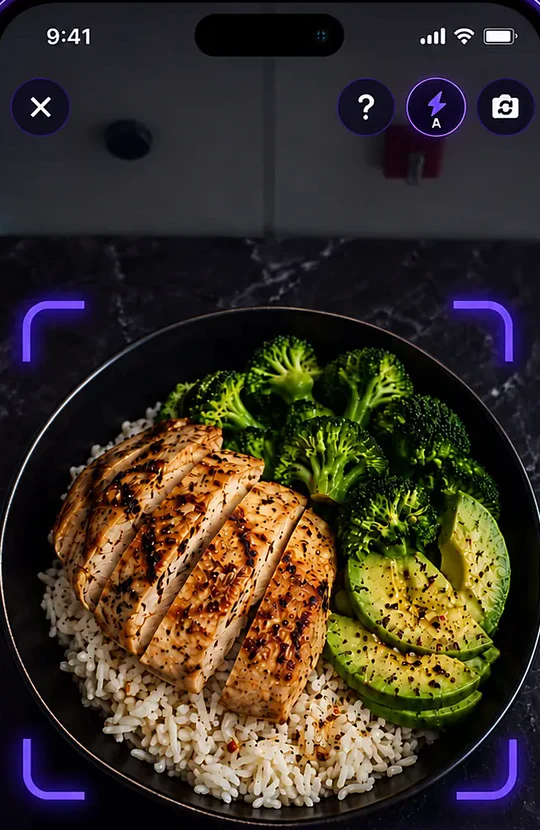
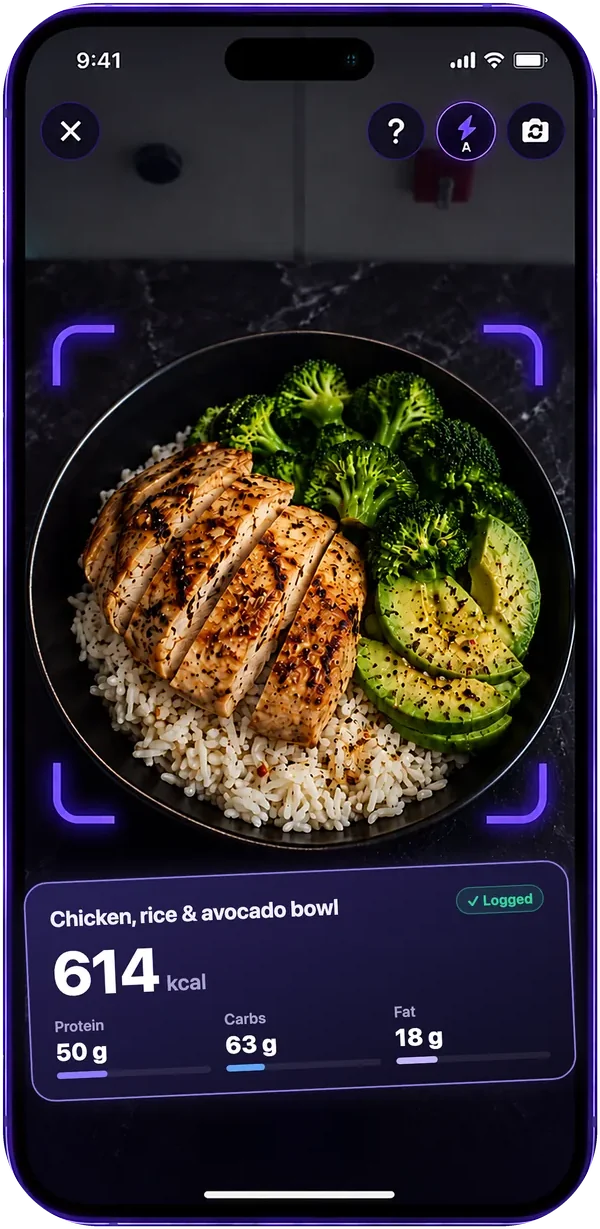
Snap a meal.
Get the calories.
Point the camera at your plate. Luntrack names every food on it and fills in calories, protein, carbs, fat and micronutrients — even if you close the app while it works.
- Photo, barcode or search 2.6M foods
- Every number editable before it's logged
- Understands food in your language
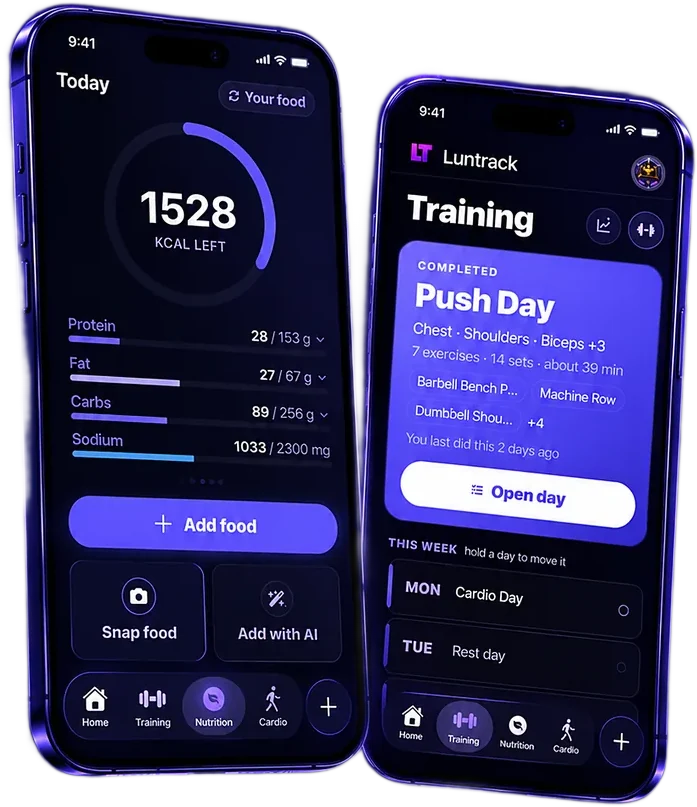
A plan built
for your gym.
Tell it your goal, days and equipment. Get a weekly plan from 873 exercises — each with a picture and a technique guide — that adds weight when you're ready.
- Progressive overload from the sets you actually logged
- A readiness check, so the plan follows how you feel
- Point the camera at a gym machine to identify it (Beta)
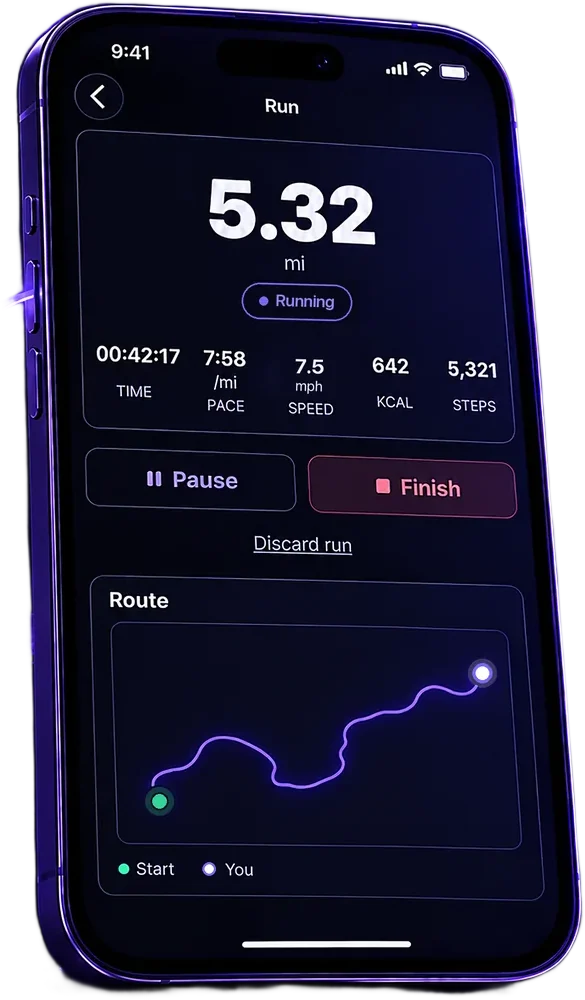
Run and ride
with GPS.
Pace, speed, distance and a route that draws itself as you move. It keeps tracking with the screen off, and the calories join your daily total.
- Running, walking and cycling
- Steps from Apple Health
- A year of riding on one chart
Every vitamin.
Every mineral.
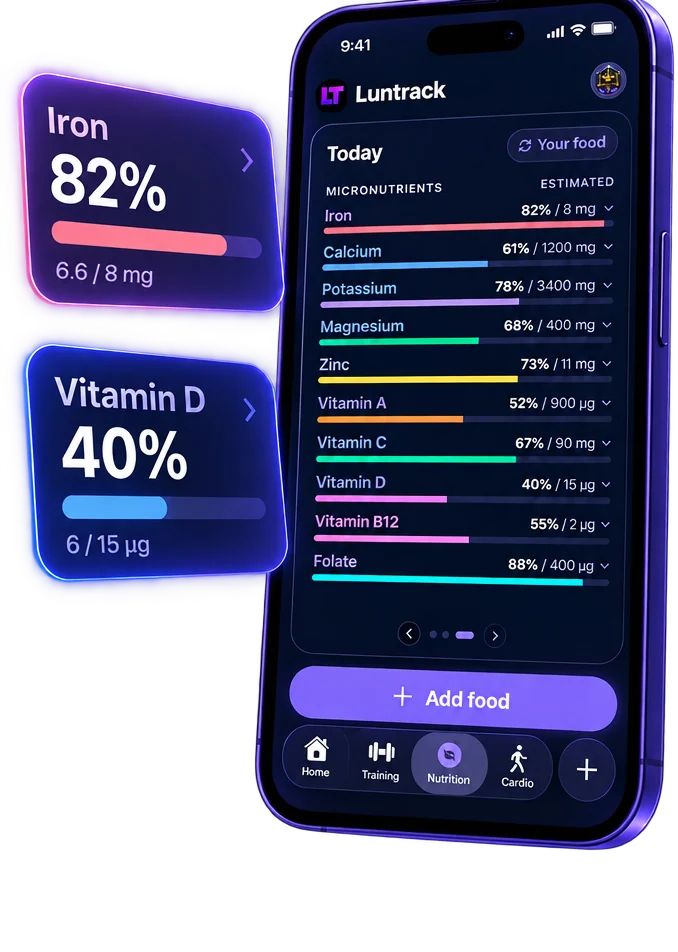
Most trackers stop at macros. Luntrack shows iron, calcium, vitamin D and seven more — and which foods to eat when you're short.
- 10 micronutrients tracked every day
- Water and electrolyte targets that follow your training
- Your own targets, or sensible defaults
Watch yourself
progress.
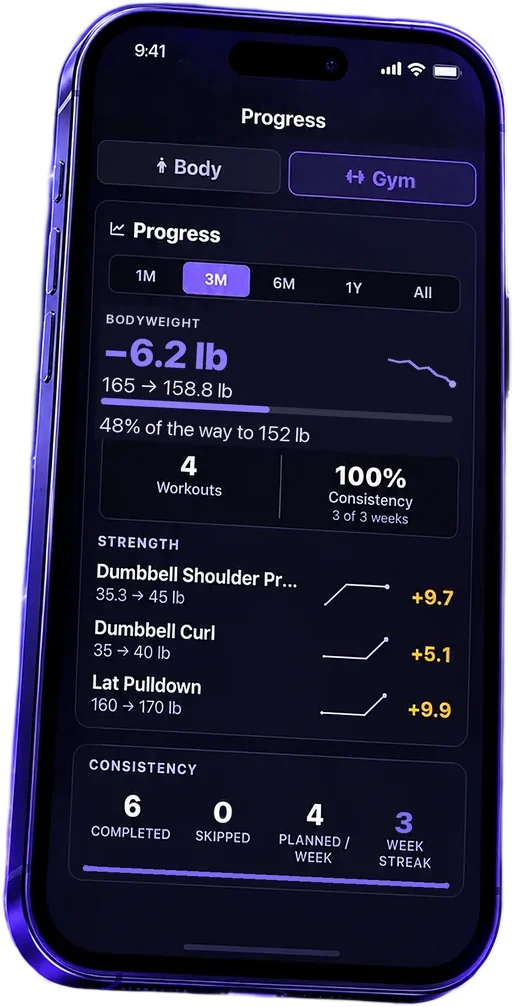
Weight toward your goal, strength on every lift and consistency week by week. Progress photos never leave your phone.
- Streaks, medals and a world ranking
- Home Screen and Lock Screen widgets
- Then-and-now photos, side by side
Start free.
Add AI when you want it.
Tracking, plans, cardio and progress are free forever. Pro and Elite add AI food photos and the AI coach — they differ only in how many AI requests you get each month.
Free
- Calories, macros and 10 micronutrients
- Barcode scanner and food search
- Workout plans and progression
- GPS runs and rides, streaks, medals
Pro
- Everything in Free
- AI food photos
- AI coach chat
- 120 AI requests a month
Elite
- Everything in Pro
- 300 AI requests a month
- Room for a photo at every meal
- Priority support
Prices in USD. Pro and Elite renew automatically every month until you cancel. You can cancel any time.
Questions people
actually ask.
Is Luntrack really free?
Yes. Tracking food, workout plans, logging sets, steps, runs, rides and medals cost nothing and always will. Pro and Elite only add the AI features on top.
What's the difference between Pro and Elite?
The features are the same — AI food photos and the AI coach. Pro includes 120 AI requests a month, Elite 300. If you run out, you can top up with a one-off credit pack instead of upgrading.
Do I need the iPhone app?
No — the website works on its own. The app adds what a browser can't: barcode scanning, food photos, Apple Health steps, GPS runs and widgets. Your account is the same on both.
How accurate is the food photo AI?
It identifies each food and estimates the portion, which is the hard part of any calorie tracker. Treat it as a very fast first draft — every number stays editable before it lands in your log.
Are my progress photos uploaded anywhere?
No. Body progress photos stay on your phone. They are never uploaded to our servers, never synced and never added to your camera roll.
Can I cancel any time?
Any time, and you keep the paid features until the period you already paid for runs out. Subscriptions bought on iPhone are cancelled in your Apple Account settings.
Stop guessing.
Start measuring.
Two minutes to set up. Free to find out whether it works for you.
Nine free games.
A new word every 6 hours, chess with friends and more. Play in your browser, no download.









Start with Luntrack.
Calories, training plan, cardio and progress, on the web and in the app.
